Aggregator » Aggregator 26.10
This release is a bigger one than usual: the main screen has been rebuilt from scratch.
Google has announced that new Android apps should focus on Jetpack Compose, so the classic app’s main screen has been rewritten with it. Instead of a one-to-one port, this was a good opportunity to bring over the swipe gesture from Aggregator Next and to make better use of tablets and other large screens.
Note: Because of the size of the changes, this release will stay with the beta testers a bit longer than usual. If you have feedback, head over to the discussions section on GitHub.
Changes
26.10.000
- Rewrote the main screen with Jetpack Compose
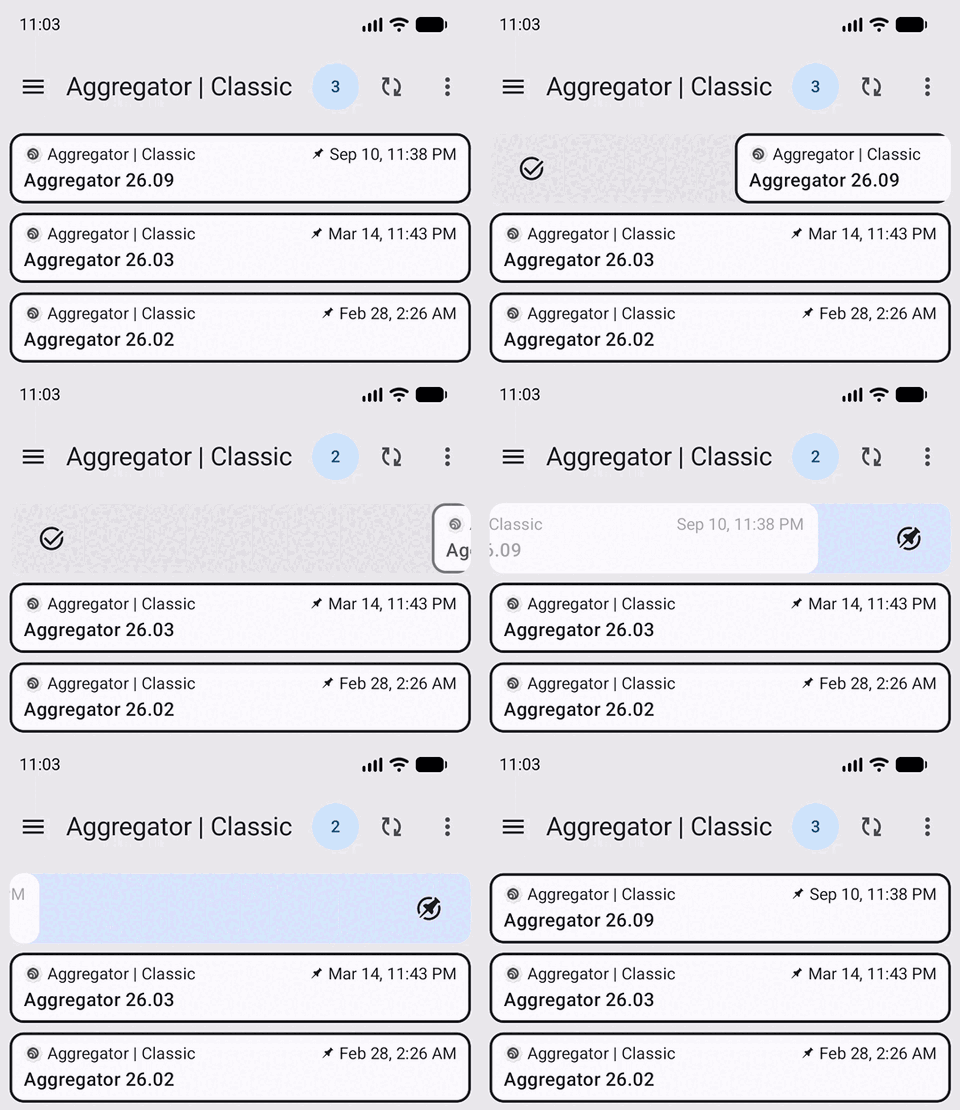
- Swipe an entry to mark it as read, or swipe a read entry to pin it
- Long-press an entry to open its link, share it, open its feed or create an exclusion rule
- Long-press the unread count to mark all entries as read, with undo
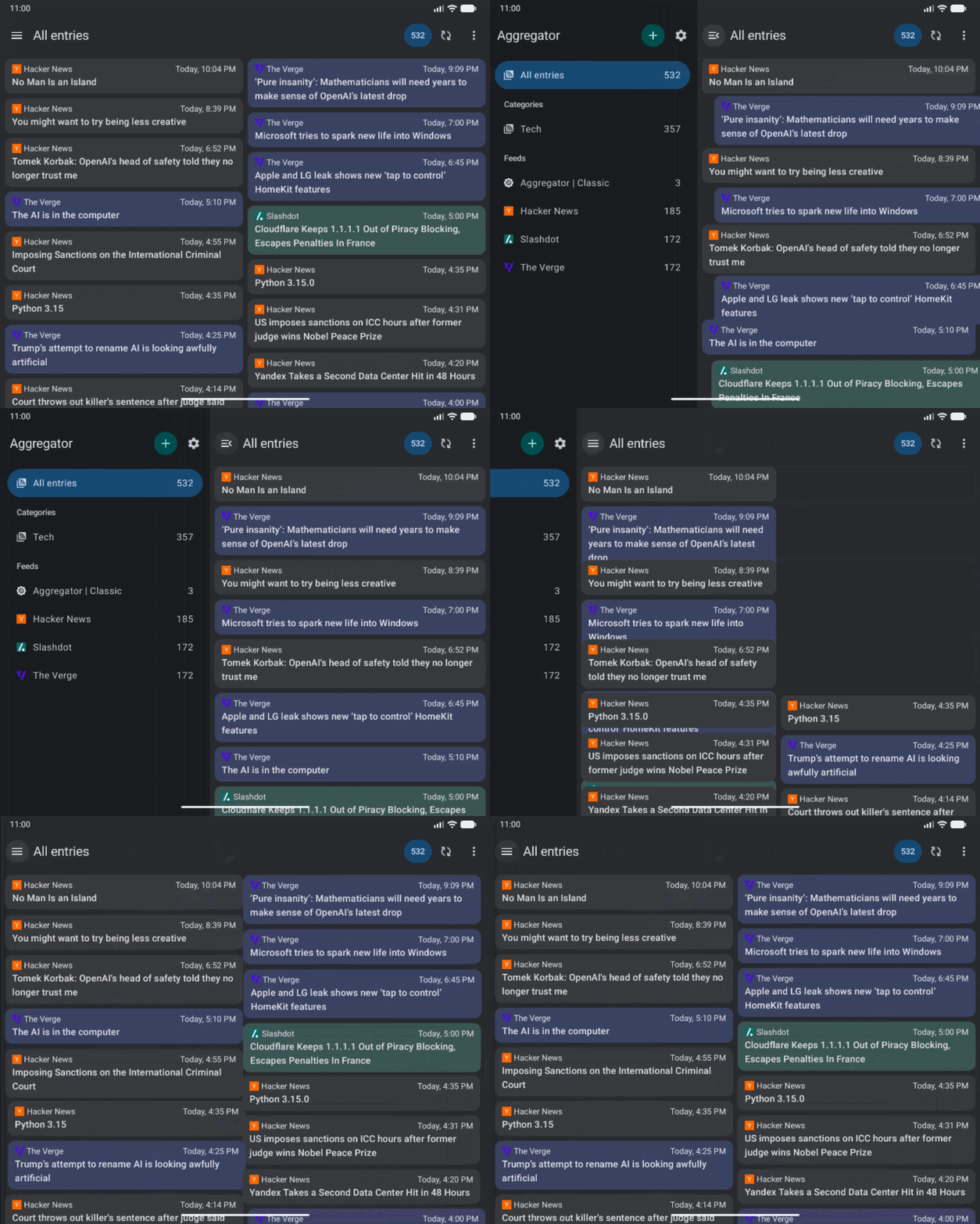
- Feeds and categories in a side panel on tablets
- Entries arranged in a grid on large screens, with a new list view option
- The toolbar hides while scrolling through entries
- Entry cards tinted with the feed color, and pinned entries outlined
- Feeds in the drawer are sorted by title, with categories listed separately
- Refreshed colors across the app, including the reader
26.10.001
- Last update time shown briefly when opening the app or switching feeds
- Message when refreshing without an internet connection
- Lists start at the top when switching feeds or categories
- Improved updates for unresponsive feeds
- Fixed the top bar after resizing or rotating
26.10.002
- Fixed reader crash on oversized entries
- Updated dependencies and build tools